
Thingiverse
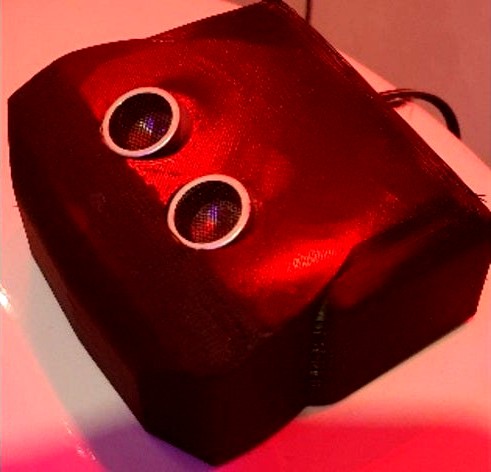
Touchless WC Flush Unit ultrasound IFÖ IFO toilett button conversion replacement servo by spaceengineer
by Thingiverse
Last crawled date: 4 years, 8 months ago
Ultrasound touchless replacement unit for IFÖ toilet WC,
Using servo 5V, ultrasound sensor, 5v Transformator
HC-SR04, ultrasound sensor distance measurement for Arduino
Arduino Nano Amega328 board
Servo MG996R 55g 15kg
5v power supply.
Remove old flush button by lift the one side of the button up, then unscrew the plastic screw that holds the button in place.
Lift the hole flush button and its holder and mechanism up.
Replace it and install your 3D-printed unit by first just hatch the "liftfork" by pressing it down on the mechanism inside the toilet,
then mount the "liftflushsensor 2" instead of the old flush mechanism by fasten it by screw the plastic screw in place again.
Press the "lift board 4" into the "liftfork".
Mount the servo with 4 screws.
Attach the servo arm to the "liftboard" by some metal pin or needle through the hole that is found in the "liftboard".
Glue the ultrasound sensor to the "coverwithSensor".
Connect all the wires between, servo, arduino nano, ultrasound sensor and the 5V power supply.
Mount the cover and hide the 5v wire in the backside of the WC.
To program the arduino use combination of Servo and HC-SR04.
You can find the program below.
I used a angle of 130 and 180. And a distance of 10cm in the code.
include
include
Servo myservo;
int trig = 7;
int echo = 8;
int servo = 9;
long duration, distance;
long a[3];
define TRIGGER_PIN 7
define ECHO_PIN 8
define MAX_DISTANCE 200
NewPing sonar(TRIGGER_PIN, ECHO_PIN, MAX_DISTANCE);
void setup() {
Serial.begin(9600);
myservo.attach(servo);
pinMode(trig, OUTPUT);
pinMode(echo, INPUT);
myservo.write(180); // servo position 180 degree
delay(1000);
myservo.detach();
}
void measure()
{
digitalWrite(trig, LOW);
delayMicroseconds(6);
digitalWrite(trig, HIGH);
delayMicroseconds(15);
digitalWrite(trig, LOW);
pinMode(echo, INPUT);
duration = pulseIn(echo, HIGH);
distance = (duration/2) / 29.1;
}
void loop()
{
delay(50);
unsigned int uS = sonar.ping();
pinMode(ECHO_PIN,OUTPUT);
digitalWrite(ECHO_PIN,LOW);
pinMode(ECHO_PIN,INPUT);
Serial.print("Ping: ");
distance = uS / US_ROUNDTRIP_CM;
Serial.print(uS / US_ROUNDTRIP_CM);
Serial.println("cm");
for (int i=0;i<=2;i++) {
measure();
a[i]=distance;
delay(50);
}
//distance=(a[0]+a[1]+a[2])/3;
if ( distance<10 ) // change this value to increase or decrease detection range.
{
Serial.print(distance);
myservo.attach(servo);
delay(1);
myservo.write(130); //servo position 90 degree
delay(2000);
myservo.write(180); //servo position 180 degree
delay(1000);
myservo.detach();
}
}
Using servo 5V, ultrasound sensor, 5v Transformator
HC-SR04, ultrasound sensor distance measurement for Arduino
Arduino Nano Amega328 board
Servo MG996R 55g 15kg
5v power supply.
Remove old flush button by lift the one side of the button up, then unscrew the plastic screw that holds the button in place.
Lift the hole flush button and its holder and mechanism up.
Replace it and install your 3D-printed unit by first just hatch the "liftfork" by pressing it down on the mechanism inside the toilet,
then mount the "liftflushsensor 2" instead of the old flush mechanism by fasten it by screw the plastic screw in place again.
Press the "lift board 4" into the "liftfork".
Mount the servo with 4 screws.
Attach the servo arm to the "liftboard" by some metal pin or needle through the hole that is found in the "liftboard".
Glue the ultrasound sensor to the "coverwithSensor".
Connect all the wires between, servo, arduino nano, ultrasound sensor and the 5V power supply.
Mount the cover and hide the 5v wire in the backside of the WC.
To program the arduino use combination of Servo and HC-SR04.
You can find the program below.
I used a angle of 130 and 180. And a distance of 10cm in the code.
include
include
Servo myservo;
int trig = 7;
int echo = 8;
int servo = 9;
long duration, distance;
long a[3];
define TRIGGER_PIN 7
define ECHO_PIN 8
define MAX_DISTANCE 200
NewPing sonar(TRIGGER_PIN, ECHO_PIN, MAX_DISTANCE);
void setup() {
Serial.begin(9600);
myservo.attach(servo);
pinMode(trig, OUTPUT);
pinMode(echo, INPUT);
myservo.write(180); // servo position 180 degree
delay(1000);
myservo.detach();
}
void measure()
{
digitalWrite(trig, LOW);
delayMicroseconds(6);
digitalWrite(trig, HIGH);
delayMicroseconds(15);
digitalWrite(trig, LOW);
pinMode(echo, INPUT);
duration = pulseIn(echo, HIGH);
distance = (duration/2) / 29.1;
}
void loop()
{
delay(50);
unsigned int uS = sonar.ping();
pinMode(ECHO_PIN,OUTPUT);
digitalWrite(ECHO_PIN,LOW);
pinMode(ECHO_PIN,INPUT);
Serial.print("Ping: ");
distance = uS / US_ROUNDTRIP_CM;
Serial.print(uS / US_ROUNDTRIP_CM);
Serial.println("cm");
for (int i=0;i<=2;i++) {
measure();
a[i]=distance;
delay(50);
}
//distance=(a[0]+a[1]+a[2])/3;
if ( distance<10 ) // change this value to increase or decrease detection range.
{
Serial.print(distance);
myservo.attach(servo);
delay(1);
myservo.write(130); //servo position 90 degree
delay(2000);
myservo.write(180); //servo position 180 degree
delay(1000);
myservo.detach();
}
}