
Thingiverse
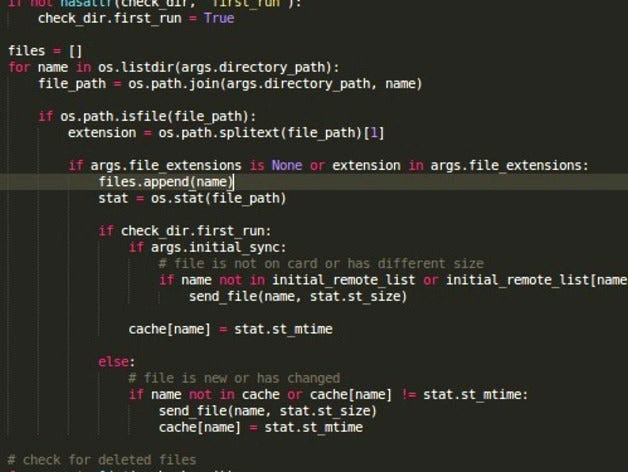
Toshiba Flashair directory sync (Python 2/3) by vindolin
by Thingiverse
Last crawled date: 5 years, 4 months ago
You don't need this anymore with W-03/W-04 cards as they now have webdav capabilities build in!
Github page: https://github.com/vindolin/flashair_sync
More infos about using a Toshiba Flashair SD Card in your printer: http://microfabricator.com/blogs/view/id/54e438e56983c5316480205e/using-a-flashair-wifi-enabled-sdcard-with-your-3d-printer
flashair_sync
Simple one way directory syncer for Toshiba Flashair SD cards, used in 3D printers.
Installation
$ pip install flashair_sync
or under Windows:
C:\>py -m pip install flashair_sync
Example usage
$ flashair_sync /directory/with/x3g_files 192.168.178.70 x3g s3g
or under Windows:
$ py flashair_sync c:\directory\with\x3g_files 192.168.178.70 x3g s3g
If you want to do an initial sycn to the card, add the -i switch.
--help output
.. code-block::
usage: flashair_sync [-h] [-p POLL_INTERVAL] [-i]
directory_path flashair_address file_extensions
[file_extensions ...]
Watch a directory for change/delete events to files and sync to flashair card
(not recursive!).
positional arguments:
directory_path The directory to watch for changes.
flashair_address The address of your flashair card, eg.
"192.168.178.41"
file_extensions Only files that match one of these extensions get
monitored.
optional arguments:
-h, --help show this help message and exit
-p POLL_INTERVAL, --poll_interval POLL_INTERVAL
How many seconds between directory polls (default is 1).
-i, --initial_sync Copy all files that are new or changed to the card on
program start, also delete all files on the card which
are not in the current directory. Without this switch
only files that are new/modified/deleted after the
program start are synced.
Github page: https://github.com/vindolin/flashair_sync
More infos about using a Toshiba Flashair SD Card in your printer: http://microfabricator.com/blogs/view/id/54e438e56983c5316480205e/using-a-flashair-wifi-enabled-sdcard-with-your-3d-printer
flashair_sync
Simple one way directory syncer for Toshiba Flashair SD cards, used in 3D printers.
Installation
$ pip install flashair_sync
or under Windows:
C:\>py -m pip install flashair_sync
Example usage
$ flashair_sync /directory/with/x3g_files 192.168.178.70 x3g s3g
or under Windows:
$ py flashair_sync c:\directory\with\x3g_files 192.168.178.70 x3g s3g
If you want to do an initial sycn to the card, add the -i switch.
--help output
.. code-block::
usage: flashair_sync [-h] [-p POLL_INTERVAL] [-i]
directory_path flashair_address file_extensions
[file_extensions ...]
Watch a directory for change/delete events to files and sync to flashair card
(not recursive!).
positional arguments:
directory_path The directory to watch for changes.
flashair_address The address of your flashair card, eg.
"192.168.178.41"
file_extensions Only files that match one of these extensions get
monitored.
optional arguments:
-h, --help show this help message and exit
-p POLL_INTERVAL, --poll_interval POLL_INTERVAL
How many seconds between directory polls (default is 1).
-i, --initial_sync Copy all files that are new or changed to the card on
program start, also delete all files on the card which
are not in the current directory. Without this switch
only files that are new/modified/deleted after the
program start are synced.