
CG Trader
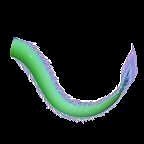
Tail Imaginary
by CG Trader
Last crawled date: 3 years, 6 months ago
You will get: Model ( MA , FBX , OBJ , STL , ABC )
Rig ( MA )
Textures ( IMAGES )
Materials ( MA )
PRODUCTION READY The product was built from an artist with 10+ years in the Visual Effects Industry
Easy to manage in your Character Pipeline
Easy to make changes without breaking connections
The scenes are very clean with all objects renamed
World scale 1:1 ( centimetres )
Rigged ( In a separate file, Referenced in the main Scene)
THIS PRODUCT BUILT WITH: Model: Maya 2017 (Update 5)
Sculpt: Zbrush 4R8
Rig/Animation: Maya 2017 ( Update 5)
Groom: Yeti for Maya v2.2.1
Render: Arnold Core 5.1.0.0
MODEL 151968 Faces
Main Body with UDIM workflow to get more resolution in render time
Groom Body in a different mesh with one tile to speedup the grooming workflow
TEXTURES Displacement , 4K , EXR , RAW
BaseColor, 2K , TIF , SRGB
Roughness, 2K , TIF , RAW
Metalness, 2K , TIF , RAW
Coat Weight, 2K , TIF , SRGB
SSS Weight, 2K , TIF , SRGB
Bump, 2K , TIF , RAW
Normal, 2K , TIF , RAW
Groom Root Color, 2K , TIF , SRGB
Groom Tip Color, 2K , TIF , SRGB
Body Masks, 2K , TIF , SGRB
YETI TEXTURE MAPS Yeti doesn’t allows to set relative path , you need to set the texture folder manually
To do that: Select the “bear_yeti_render” node
In the attribute editor go to other/ Image Search Path
Set the folder with the yeti groom maps
RIG Rigged ( In a separate file, Referenced in the main Scene)
Main Control scalable
Arm Controls FK/IK switchable
Hip Controls FK/IK switchable
Spline FK/IK switchable
Neck and Head FK
Tail FK/IK switchable tail dragon dr t j animals other
Rig ( MA )
Textures ( IMAGES )
Materials ( MA )
PRODUCTION READY The product was built from an artist with 10+ years in the Visual Effects Industry
Easy to manage in your Character Pipeline
Easy to make changes without breaking connections
The scenes are very clean with all objects renamed
World scale 1:1 ( centimetres )
Rigged ( In a separate file, Referenced in the main Scene)
THIS PRODUCT BUILT WITH: Model: Maya 2017 (Update 5)
Sculpt: Zbrush 4R8
Rig/Animation: Maya 2017 ( Update 5)
Groom: Yeti for Maya v2.2.1
Render: Arnold Core 5.1.0.0
MODEL 151968 Faces
Main Body with UDIM workflow to get more resolution in render time
Groom Body in a different mesh with one tile to speedup the grooming workflow
TEXTURES Displacement , 4K , EXR , RAW
BaseColor, 2K , TIF , SRGB
Roughness, 2K , TIF , RAW
Metalness, 2K , TIF , RAW
Coat Weight, 2K , TIF , SRGB
SSS Weight, 2K , TIF , SRGB
Bump, 2K , TIF , RAW
Normal, 2K , TIF , RAW
Groom Root Color, 2K , TIF , SRGB
Groom Tip Color, 2K , TIF , SRGB
Body Masks, 2K , TIF , SGRB
YETI TEXTURE MAPS Yeti doesn’t allows to set relative path , you need to set the texture folder manually
To do that: Select the “bear_yeti_render” node
In the attribute editor go to other/ Image Search Path
Set the folder with the yeti groom maps
RIG Rigged ( In a separate file, Referenced in the main Scene)
Main Control scalable
Arm Controls FK/IK switchable
Hip Controls FK/IK switchable
Spline FK/IK switchable
Neck and Head FK
Tail FK/IK switchable tail dragon dr t j animals other