
Thingiverse
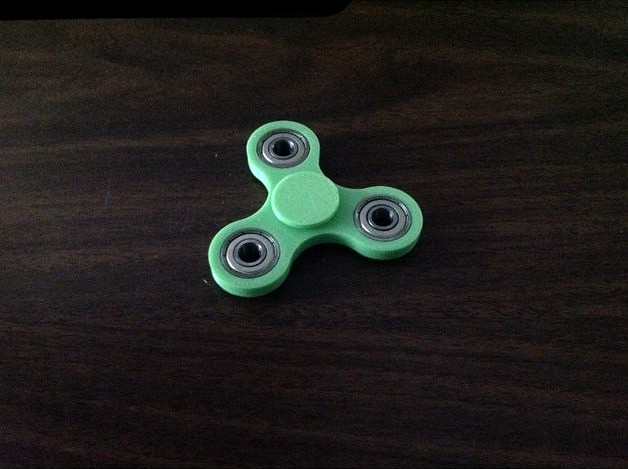
Spinner Designed with Tinkercad's CodeBlocks by ron333
by Thingiverse
Last crawled date: 4 years, 8 months ago
Tinkercad's Codeblocks are the beginning of a new era in 3D design. Now artists, educators, students, and makers can quickly and easily create objects that are ready to be 3D printed. To start learning Codeblocks go to: An Introduction to Tinkercad Codeblocks.
For our spinner we used 608ZZ 8x22x7 Shielded Greased Miniature Ball Bearings from Amazon.
The diameter of the ball bearing is 22 mm. The diameter of the hole for it needs to be slightly larger. To test for this, I created a simple bearing holder using Tinkercad code blocks.
The Radius of the hole for the bearing holder is set to 11.1 mm, making the diameter 22.2 mm. This was a good fit for the 608ZZ ball bearings.
I got the dimensions of the cap from this excellent video by the 3D Printing Nerd. Here are the codeblocks for the cap. You can see the parameter values I used.
From watching the 3D Printing Nerd's video, it appears to be much easier to make changes in your design using Tinkercad's Codeblocks than Fusion 360.
For our spinner we used 608ZZ 8x22x7 Shielded Greased Miniature Ball Bearings from Amazon.
The diameter of the ball bearing is 22 mm. The diameter of the hole for it needs to be slightly larger. To test for this, I created a simple bearing holder using Tinkercad code blocks.
The Radius of the hole for the bearing holder is set to 11.1 mm, making the diameter 22.2 mm. This was a good fit for the 608ZZ ball bearings.
I got the dimensions of the cap from this excellent video by the 3D Printing Nerd. Here are the codeblocks for the cap. You can see the parameter values I used.
From watching the 3D Printing Nerd's video, it appears to be much easier to make changes in your design using Tinkercad's Codeblocks than Fusion 360.