
Thingiverse
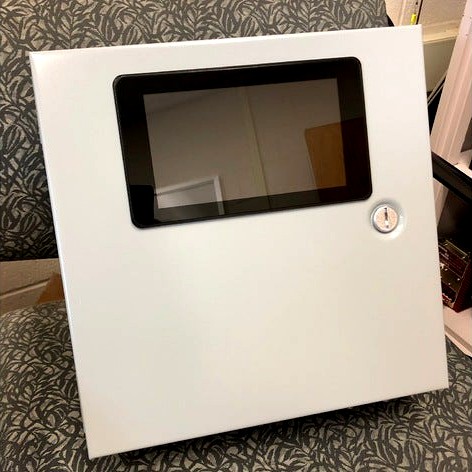
Raspberry Pi 7" Touchscreen Display Enclosure Mount by dbeck
by Thingiverse
Last crawled date: 4 years, 8 months ago
I needed a way to mount a Raspberry Pi 7" Touchscreen Display to an enclosure door. This design allows mounting to a standard metal enclosure with .065" metal (thicker or thinner will work too, or modify as needed). This requires a 7.375" x 4.3" minimum opening cut in to the enclosure. A wire path is included to keep the wire and ribbon cable nicely near the hinge side of the enclosure. Final height from the face of the enclosure is ~.125".
**Note: If the screen image is upside down (rotated 180deg) you can add 'lcd_rotate=2' to '/boot/config.txt'. If unfamiliar, you can type 'sudo nano /boot/config.txt' in terminal once the pi is booted, then at the end of the config.txt file, simply add 'lcd_rotate=2' to the end of the file. Then save and exit with CTRL+X, Y, Enter key. Reboot and the screen image will be the correct orientation (180deg from where it was before you added this line of code).
**Note: If the screen image is upside down (rotated 180deg) you can add 'lcd_rotate=2' to '/boot/config.txt'. If unfamiliar, you can type 'sudo nano /boot/config.txt' in terminal once the pi is booted, then at the end of the config.txt file, simply add 'lcd_rotate=2' to the end of the file. Then save and exit with CTRL+X, Y, Enter key. Reboot and the screen image will be the correct orientation (180deg from where it was before you added this line of code).