
Thingiverse
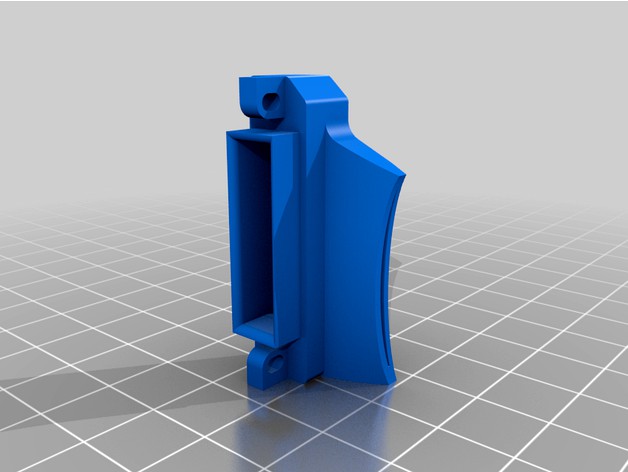
Ender 3 - Nozzle Cooling "with Airflow Simulation" by NoNameEngineer
by Thingiverse
Last crawled date: 4 years, 5 months ago
Ender 3 - Nozzle Cooling "with Airflow Simulation"
Printing:
Recommended to be printed in any temperature resistant filament (ABS / ASA / PBT / Nylon / PETG)
Printed with standard "0.20mm" Prusaslicer settings with "100% infill" and "Brim"
For easily removable support, I recommend following these steps from the pictures:
Note: Discard all your settings,
then Select "Yes" for all popup windows
Select standard settings for your filament
Select Supports: For support enforcers only
Select Infill:100% and Brim
Click on Editing
Click on Add support enforcer >Cylinder
Select "Generic-Cylinder"
Unlock "scale lock"
Insert all numbers as on the photo
Goto "Print Settings
Select "Support material"
Change "Pattern spacing" to 2.5
Goto "Plater"
Select "Slice now"
On layer height "31.10" you should see this shape of support
Follow and Support on Paypal if liked
Printing:
Recommended to be printed in any temperature resistant filament (ABS / ASA / PBT / Nylon / PETG)
Printed with standard "0.20mm" Prusaslicer settings with "100% infill" and "Brim"
For easily removable support, I recommend following these steps from the pictures:
Note: Discard all your settings,
then Select "Yes" for all popup windows
Select standard settings for your filament
Select Supports: For support enforcers only
Select Infill:100% and Brim
Click on Editing
Click on Add support enforcer >Cylinder
Select "Generic-Cylinder"
Unlock "scale lock"
Insert all numbers as on the photo
Goto "Print Settings
Select "Support material"
Change "Pattern spacing" to 2.5
Goto "Plater"
Select "Slice now"
On layer height "31.10" you should see this shape of support
Follow and Support on Paypal if liked