
Thingiverse
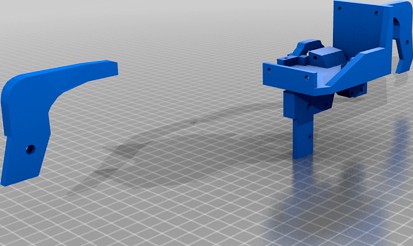
Ender 3 automatic printing in two colors, without changing the firmware and electronics
by Thingiverse
Last crawled date: 5 years, 10 months ago
UPDATE: Add video assemble.
UPDATE: Add video Disassemble.
UPDATE: Add detail video from all sides
UPDATE: Version 1.1 first five parts.
Ender 3 update allows you to print in two colors with automatic switching and direct drive. To upgrade, you do not need to change the firmware and electronics. You need to print six parts and buy another feeder for $ 8.
Video:
How it prints: https://youtu.be/iRAl5gWQ4Nc
Detail from all sides - https://youtu.be/3PWP7JvDjws
Disassemble - https://youtu.be/AIytr-iX5pc
Assemble - https://youtu.be/tbTItnjRD08.
Cura settings - comming.
I will upload files, videos and instructions as they are ready
Yandex.money 41001959000353
ETC 0xae746d0bddc0ccd98e9ced387a29eb1d7ab319ef
QIWI qiwi.com/p/79193020921
UPDATE: Add video Disassemble.
UPDATE: Add detail video from all sides
UPDATE: Version 1.1 first five parts.
Ender 3 update allows you to print in two colors with automatic switching and direct drive. To upgrade, you do not need to change the firmware and electronics. You need to print six parts and buy another feeder for $ 8.
Video:
How it prints: https://youtu.be/iRAl5gWQ4Nc
Detail from all sides - https://youtu.be/3PWP7JvDjws
Disassemble - https://youtu.be/AIytr-iX5pc
Assemble - https://youtu.be/tbTItnjRD08.
Cura settings - comming.
I will upload files, videos and instructions as they are ready
Yandex.money 41001959000353
ETC 0xae746d0bddc0ccd98e9ced387a29eb1d7ab319ef
QIWI qiwi.com/p/79193020921