
Thingiverse
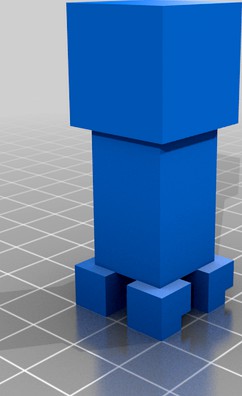
dual color creeper by format37
by Thingiverse
Last crawled date: 4 years, 8 months ago
Use two stl files to print dual color Creeper:
creeper_a.stl
creeper_b.stl
Also u can make export scenes from minecraft to stl:
install worldedit for your pc java minecraft
put print_a.js and print_b.js to plugins/WorldEdit/craftscripts/
edit scripts to change save path
build your scene with using cobblestone as color a and dirt as color b. Or replace block id inside script.
use wand to select your scene inside minecraft
call:
/cs print_a
/cs print_b
take your scad files
use openscad to render and save to stl
slice
print!
creeper_a.stl
creeper_b.stl
Also u can make export scenes from minecraft to stl:
install worldedit for your pc java minecraft
put print_a.js and print_b.js to plugins/WorldEdit/craftscripts/
edit scripts to change save path
build your scene with using cobblestone as color a and dirt as color b. Or replace block id inside script.
use wand to select your scene inside minecraft
call:
/cs print_a
/cs print_b
take your scad files
use openscad to render and save to stl
slice
print!