
Thingiverse
Cura plugin - NeoPixel Progress bar by Kotvic
by Thingiverse
Last crawled date: 5 years, 3 months ago
Hello, i have edited original plugin DisplayProgressOnLCD.py from cura 4.7.1 to use NeoPixel strip attached to printer mainboard as progress bar during printing.
It is compatibile with Cura 4.6 and later (tested on 4.6.1 and 4.7.1) and Marlin Firmware 2.0.3 and later or with any printer that uses M150 GCODE to set NeoPixel led colors.
Inspiration for my plugin was this post: https://github.com/MarlinFirmware/Marlin/issues/8915
At start of print, all leds are light up based on your Marlin Configuration or start GCODE (all white by default).
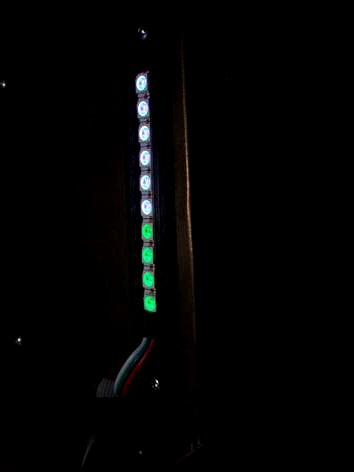
Then on every 1 percent one LED will change its color slightly. They are gradiently light up one by one from dimmed green to full bright green.
To install this plugin open CURA and select Help -> Show Configuration Folder in top menu. Then place my script into "scripts" subfolder in newly opened window.
Or you can place file directly into folder
C:\Users\Your Profile\AppData\Roaming\cura\4.7\scripts
After Cura restart just1 enter Extensions -> Post Processing -> Modify G-Code,
in newly opened menu click "Add a script" and select "Display Progress on NeoPixel"
Then check checkbox "Percentage" if you want to use NeoPixel leds as progress bar and write Number of NeoPixel leds acording your printer configuration (must be between 1-100).
Then just slice your file and you are done.
STL file in this thing is holder for NeoPixel strip WS2812B 144leds/m.
It has enough room for 10-12 leds and screw holes are designed with 101.85mm distance. This is the same distance as BigTreeTech SKR 1.3 and some other mainboards mounting holes, so you can mount leds with screws that are used to hold mainboard.
It is compatibile with Cura 4.6 and later (tested on 4.6.1 and 4.7.1) and Marlin Firmware 2.0.3 and later or with any printer that uses M150 GCODE to set NeoPixel led colors.
Inspiration for my plugin was this post: https://github.com/MarlinFirmware/Marlin/issues/8915
At start of print, all leds are light up based on your Marlin Configuration or start GCODE (all white by default).
Then on every 1 percent one LED will change its color slightly. They are gradiently light up one by one from dimmed green to full bright green.
To install this plugin open CURA and select Help -> Show Configuration Folder in top menu. Then place my script into "scripts" subfolder in newly opened window.
Or you can place file directly into folder
C:\Users\Your Profile\AppData\Roaming\cura\4.7\scripts
After Cura restart just1 enter Extensions -> Post Processing -> Modify G-Code,
in newly opened menu click "Add a script" and select "Display Progress on NeoPixel"
Then check checkbox "Percentage" if you want to use NeoPixel leds as progress bar and write Number of NeoPixel leds acording your printer configuration (must be between 1-100).
Then just slice your file and you are done.
STL file in this thing is holder for NeoPixel strip WS2812B 144leds/m.
It has enough room for 10-12 leds and screw holes are designed with 101.85mm distance. This is the same distance as BigTreeTech SKR 1.3 and some other mainboards mounting holes, so you can mount leds with screws that are used to hold mainboard.