
Thingiverse
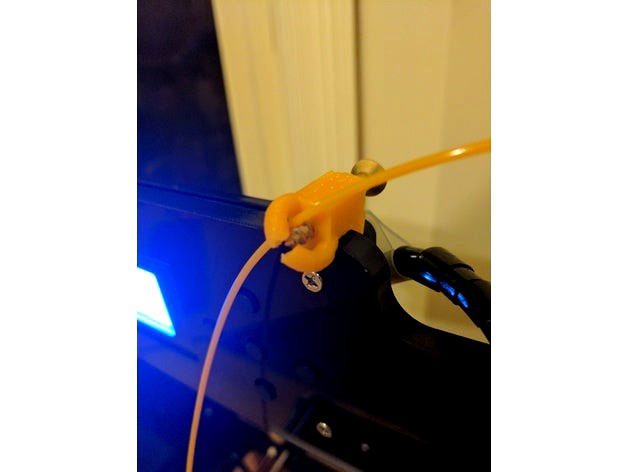
Anet A8 friction-less filament guide by Toster256
by Thingiverse
Last crawled date: 4 years, 8 months ago
Here I decided to use a big screw for the major friction point. I also screwed the guide in to the printer top using one of the existing LCD screws. This filament guide replaces one of the pillars for the LCD screen.
I have to use a big screw with large thread pitch, so that the 1.75 filament could go nicely without scratching.
Main drawback - you need an extra screw. I used:
Length: 37 mm (can be 12 mm less, so 25 is probably minimum)
Outer diameter: 5 mm (can probably be less, 4 mm will do I guess)
Inner diameter (thread): 3.2 mm. (Can be slightly bigger, but it will be hard to screw it in)
Large thread pitch, enough for the filament to lay comfortably between thread rings.
Pluses: I printed it without supports on Anet A8. Tiny, 3 gram only. Took 26 minutes to print with 0.2mm layer.
I have to use a big screw with large thread pitch, so that the 1.75 filament could go nicely without scratching.
Main drawback - you need an extra screw. I used:
Length: 37 mm (can be 12 mm less, so 25 is probably minimum)
Outer diameter: 5 mm (can probably be less, 4 mm will do I guess)
Inner diameter (thread): 3.2 mm. (Can be slightly bigger, but it will be hard to screw it in)
Large thread pitch, enough for the filament to lay comfortably between thread rings.
Pluses: I printed it without supports on Anet A8. Tiny, 3 gram only. Took 26 minutes to print with 0.2mm layer.