
Thingiverse
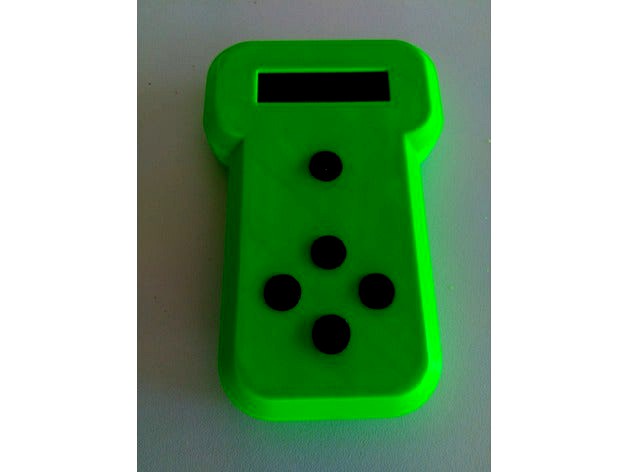
5 button wireless hand controller by moose4621
by Thingiverse
Last crawled date: 4 years, 7 months ago
A 5 button hand controller that I used as a wireless controller.
It was redrawn in Onshape so you can copy and edit the files to suit yourself.https://cad.onshape.com/documents/73b2e99c57989e27f6939f01/w/5c3df88b3e875f22f6024dcf/e/3ad7c2d4a4ec4b6de6b6e7d7
(Except the button mold files, sorry).
It is designed for a 16x2 lcd with or without I2c.
The buttons and pcb mounts are all on a 2.54mm(0.1") pcd for compatability with strip/vero boards.
The buttons I used are: 6x6x5mm through hole, tactile, momentary switch.
The DC power socket is a 2.1mm pcb mount power jack.
I have included button files that can be printed in TPU or molds that can be used for silicon buttons. Both methods work well.
I used an NRF24L01 and an arduino pro mini for this project but an esp8266 or Wemos D1 mini would work as well or better. The choices are endless.
It was redrawn in Onshape so you can copy and edit the files to suit yourself.https://cad.onshape.com/documents/73b2e99c57989e27f6939f01/w/5c3df88b3e875f22f6024dcf/e/3ad7c2d4a4ec4b6de6b6e7d7
(Except the button mold files, sorry).
It is designed for a 16x2 lcd with or without I2c.
The buttons and pcb mounts are all on a 2.54mm(0.1") pcd for compatability with strip/vero boards.
The buttons I used are: 6x6x5mm through hole, tactile, momentary switch.
The DC power socket is a 2.1mm pcb mount power jack.
I have included button files that can be printed in TPU or molds that can be used for silicon buttons. Both methods work well.
I used an NRF24L01 and an arduino pro mini for this project but an esp8266 or Wemos D1 mini would work as well or better. The choices are endless.